強制更新遠端分支
我們在 "修改 / 訂正 Patch" 有提到
有時候我們在 local 端上 patch 會不小心打錯提交訊息,或是有一些小錯誤
我們不想要只為了一個錯誤,而另外再上新的 patch,所以我們會用 git commit --amend 來訂正他
但是如果我們已經 push 到 server 上的時候,要怎麼修正呢?
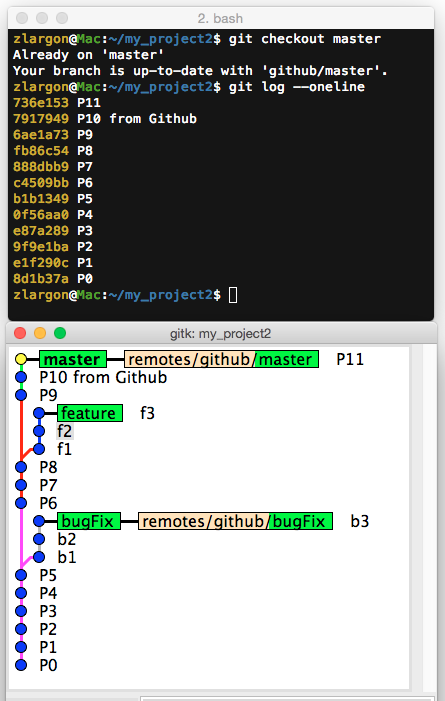
我們現在把 master 的 patch P11,用 git commit --amend 修改提交訊息成 P11'
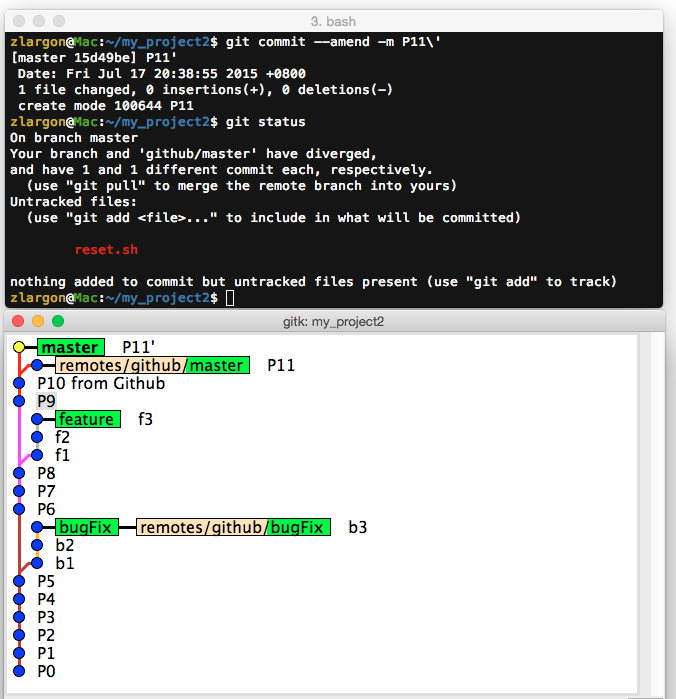
我們從 gitk 也可以看到,現在 master (P11') 分支跟 remotes/github/master (P11) 已經不同步了
剛剛我們有設定 upstream,因此 git 有提供我們一些追蹤的資訊,表示 master 與 github/master 已經產生了分歧
Your branch and 'github/master' have diverged,
and have 1 and 1 different commit each, respectively.
  (use "git pull" to merge the remote branch into yours)
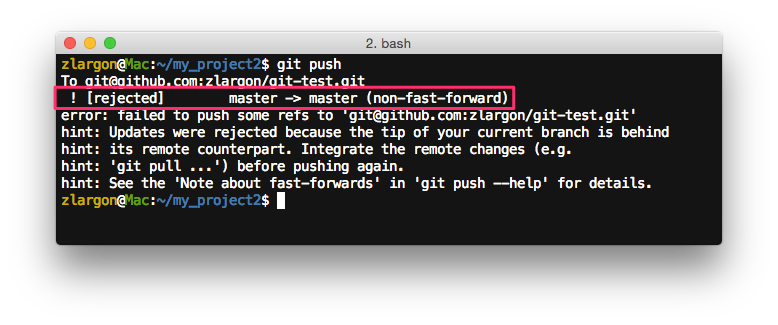
如果我們現在把 master 分支 push 出去,會被 server 拒絕
如果做 git pull 會跑出 Merge Patch
如果做 git pull --rebase 會把 P11' 移到 P11 之後
這些都不是我們想要的結果
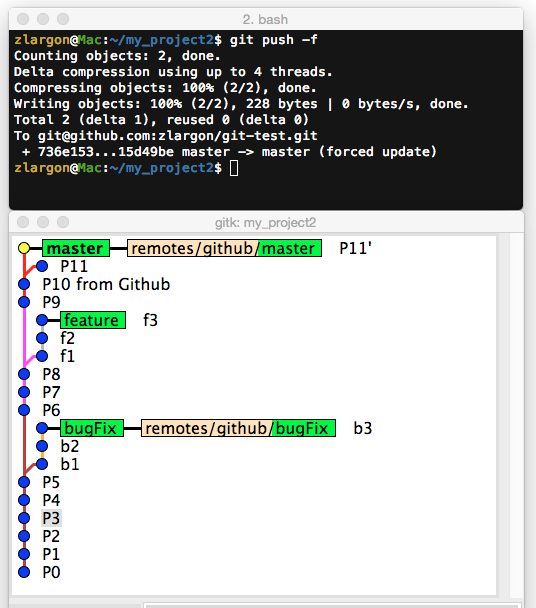
使用 git push -f 強制更新遠端分支
參數 -f 等同於 --force,表示強制的意思
他可以強迫上傳,並且覆蓋掉遠端的分支
注意:
如果我們沒有設定 upstream 的話,後面還是要加
<remote name>跟<branch name>
$ git push -f <remote name> <branch name>
注意事項
在是多人協同開發一個專案的時候,git push -f 是非常危險的指令
很可能會不小心把別人上傳的 code 整個覆蓋掉
通常只有在單人開發,或是非常有把握的時候,才會用 git push -f 來強制更新分支