刪除遠端分支
在 "上傳分支" 教過如何使用 git push 添加遠端的分支
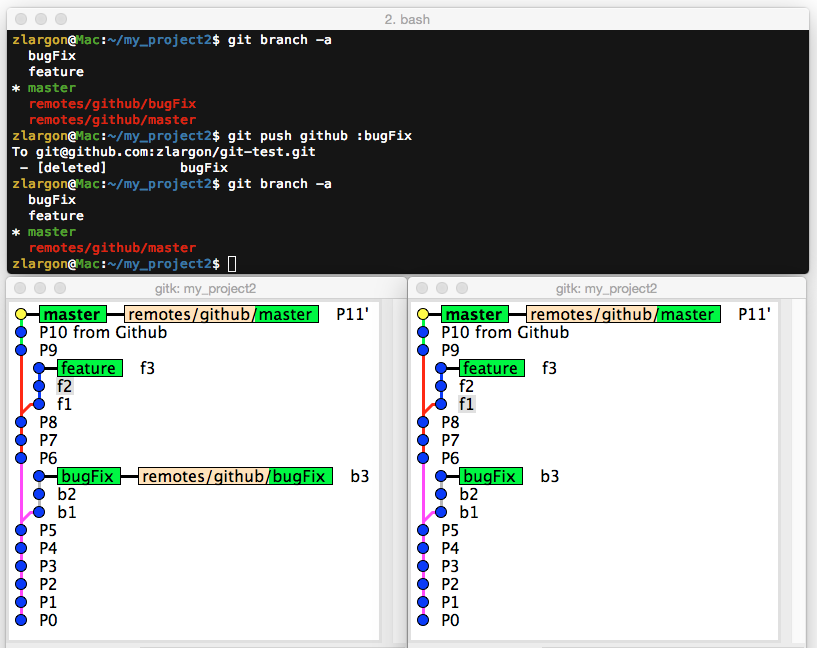
接下來我們想要把分支 bugFix 刪除
使用 git push <remote name> :<branch name> 刪除遠端分支
這裡一樣是用 git push,只要在分支名稱的前面多加一個 :(冒號)
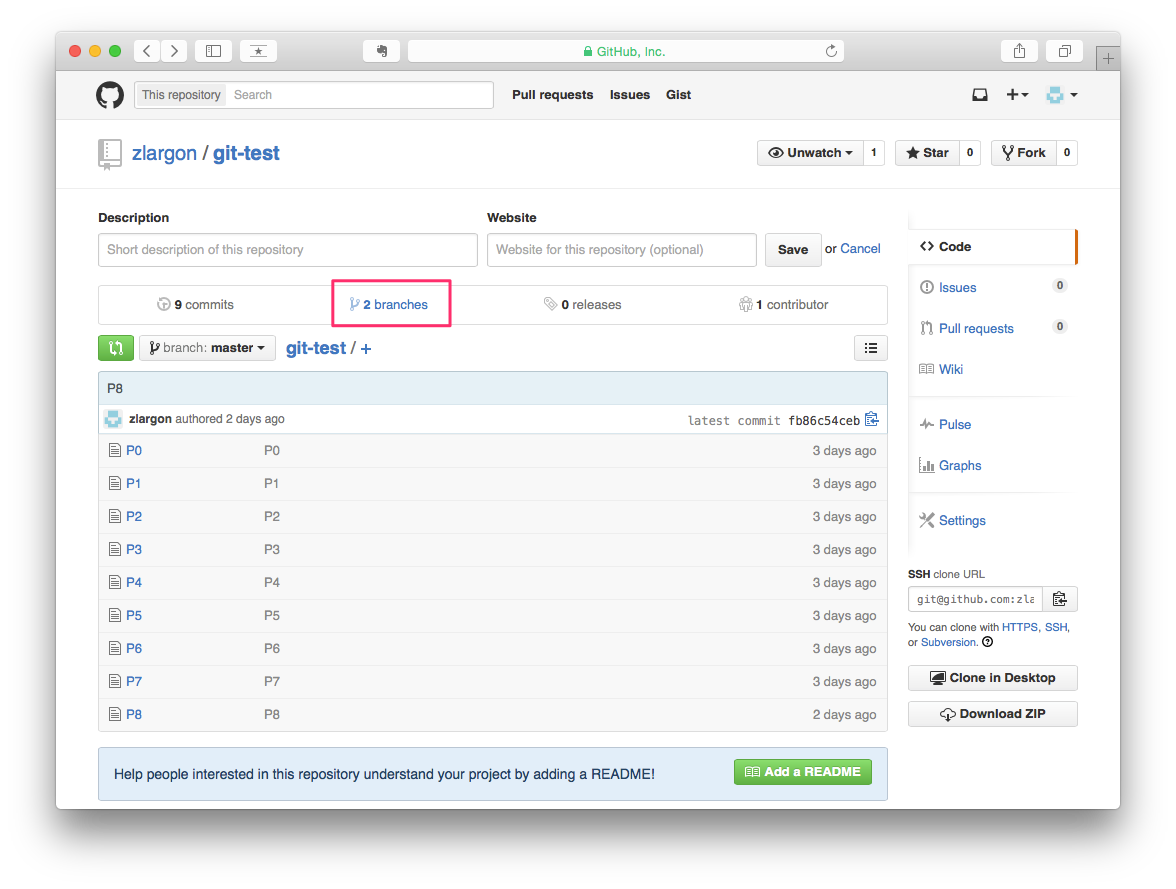
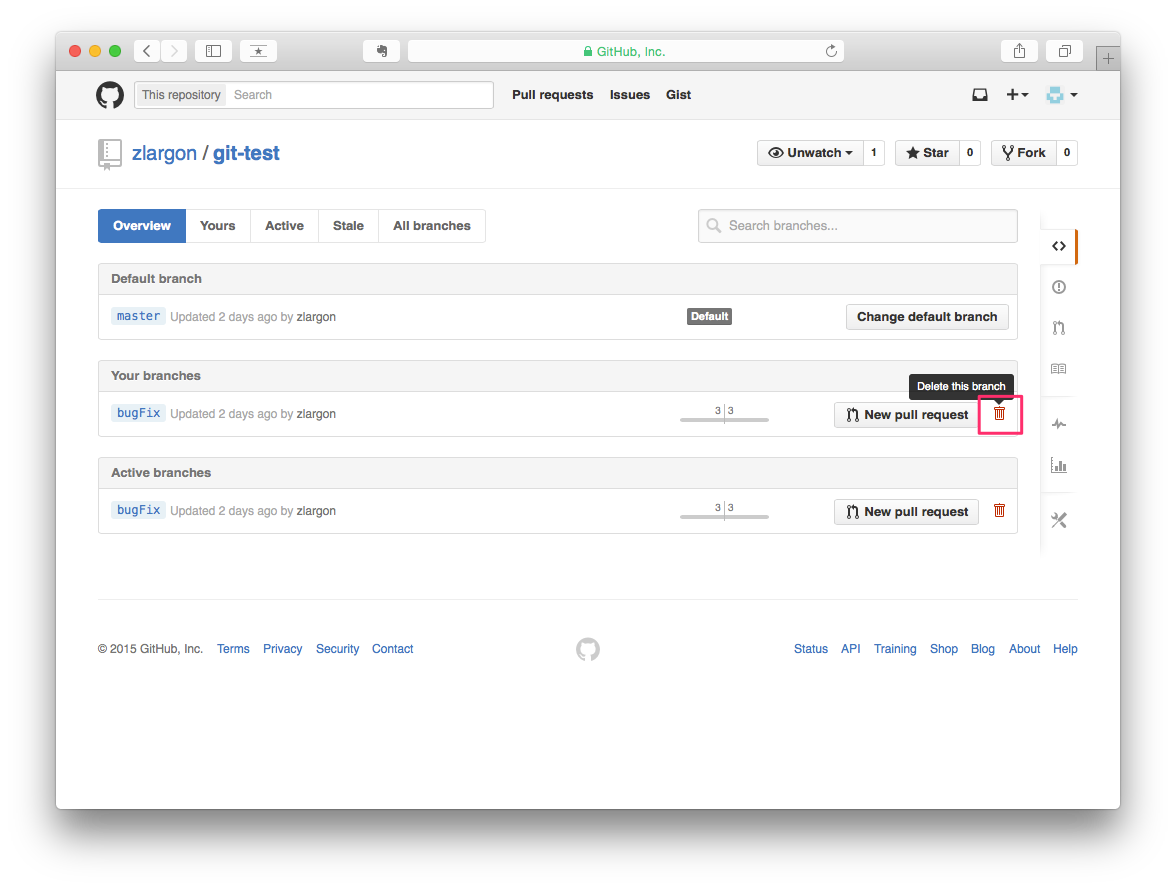
使用 Github 網頁介面刪除分支
除此之外,也可以透過 Github 的網頁介面來操作
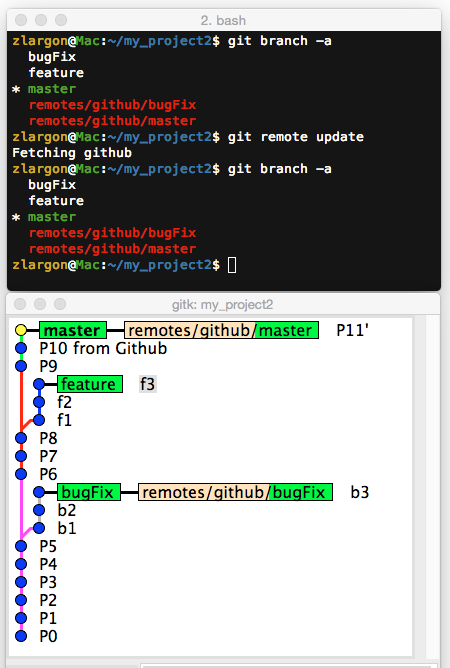
在我們刪除完 bugFix 分支之後,我們查看我們本機端的狀況,發現 remotes/github/bugFix 並沒有消失
即使我們用了 git remote update 之後,結果還是一樣,本機端的分支依舊無法跟遠端同步
使用 git remote show <remote name> 查看更多關於 remote 的資訊
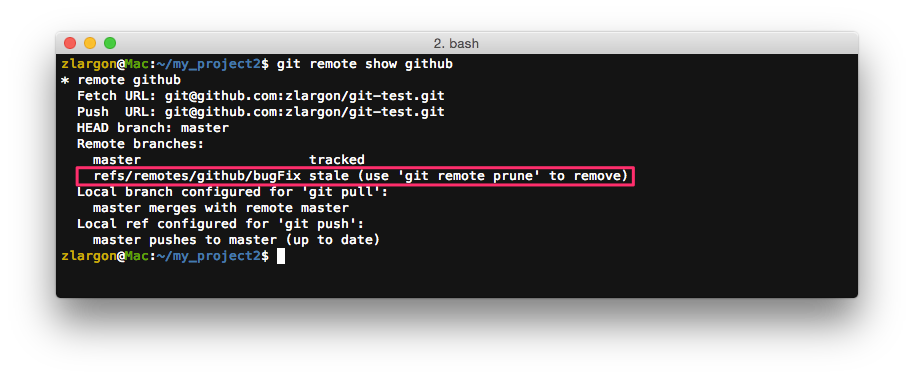
refs/remotes/github/bugFix stale (use 'git remote prune' to remove)
這行的意思是說,遠端的 bugFix 已經過期了,請用 git remote prune 將它移除
使用 git remote prune <remote name> 刪除 remote 底下所有過時的分支
$ git remote prune github
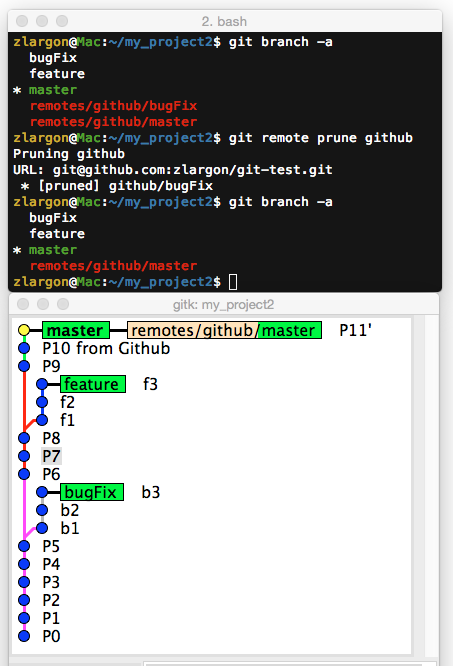
這個指令也可以用 git fetch 來代換
$ git fetch -p
$ git fetch --prune     # 同上
使用 git remote update -p 同步遠端分支,並且移除過時的遠端分支
Git 可能是為了避免遠端的分支被刪,所以才預設同步時保留過時的分支
但是為了要刪這個遠端的分支,要先用 git remote show 檢查,再用 git remote prune 刪除,這樣實在太麻煩了
git remote update -p 一次幫你全部搞定
參數 -p 等同於 --prune
我們把分支 bugFix 再 push 回去 server
從 Github 的網頁介面新增一個 P12 的檔案,並且把分支 bugFix 刪除
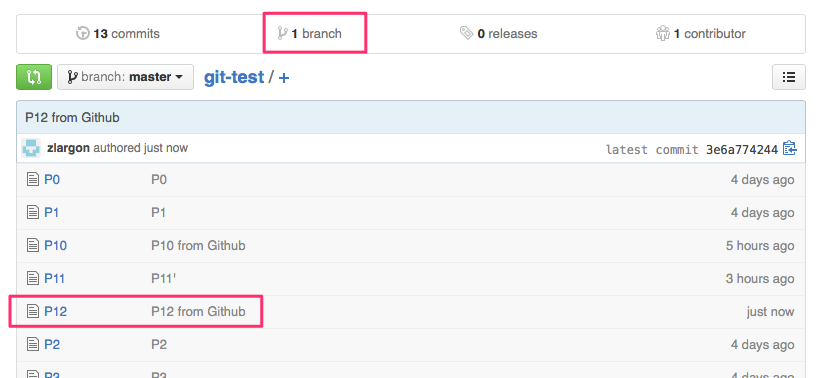
$ git remote update -p # 一次搞定
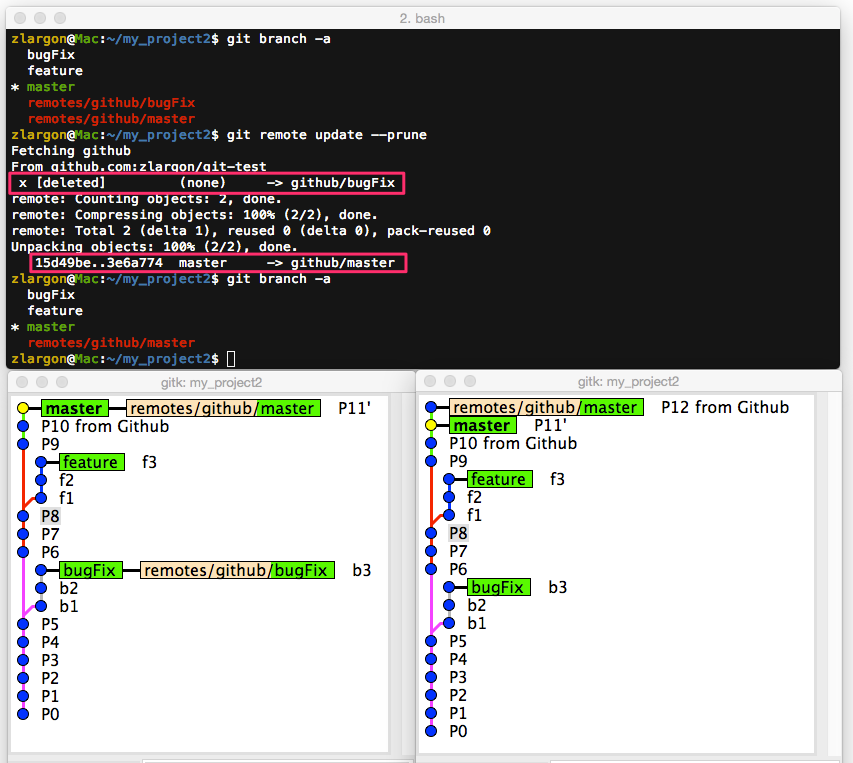
這個指令也可以用 git fetch 來代換
$ git fetch --all -p
$ git fetch --all --prune     # 同上
本章回顧
使用
git push <remote name> :<branch name>刪除遠端分支使用
git remote show <remote name>查看更多關於 remote 的資訊使用
git remote prune <remote name>刪除 remote 底下所有過時的分支可用
git fetch -p代換使用
git remote update -p同步遠端分支,並且移除過時的遠端分支同
git fetch --all -p